
Appearance
Logged out of franchise — recovery
Goal
Recognise the "logged out of franchise" state, recover the franchise binding, restore the tills, and tell the cashier how to sign in again without losing the day's sales.
Where this happens
- In the back office (Core App): the live Core App dashboard does not show a dedicated "Logged Out of Franchise" page. The route
/ResetDeviceCountresolves toResetDeviceCount.vue, which is a placeholder Lyt-ning splash view (no live recovery UI). Recovery today is: confirm the franchise subscription under System & Settings → Billing → Subscription & Accounts, and raise a Support ticket via Support & Documentation → Report an Issue if the binding will not restore. - On the till (Retail POS App or Restaurant POS App): the till home screen shows the "logged out of franchise" message until the binding is restored.
The franchise admin owns the recovery. The supervisor confirms the till is back online before the cashier rings the next sale.
Prerequisites
- You are signed in as a franchise admin or supervisor with the right permission.
- You have the franchise number and store number ready.
- The franchise's subscription is active (or you have just renewed it).
- The till has a working internet connection.
Steps
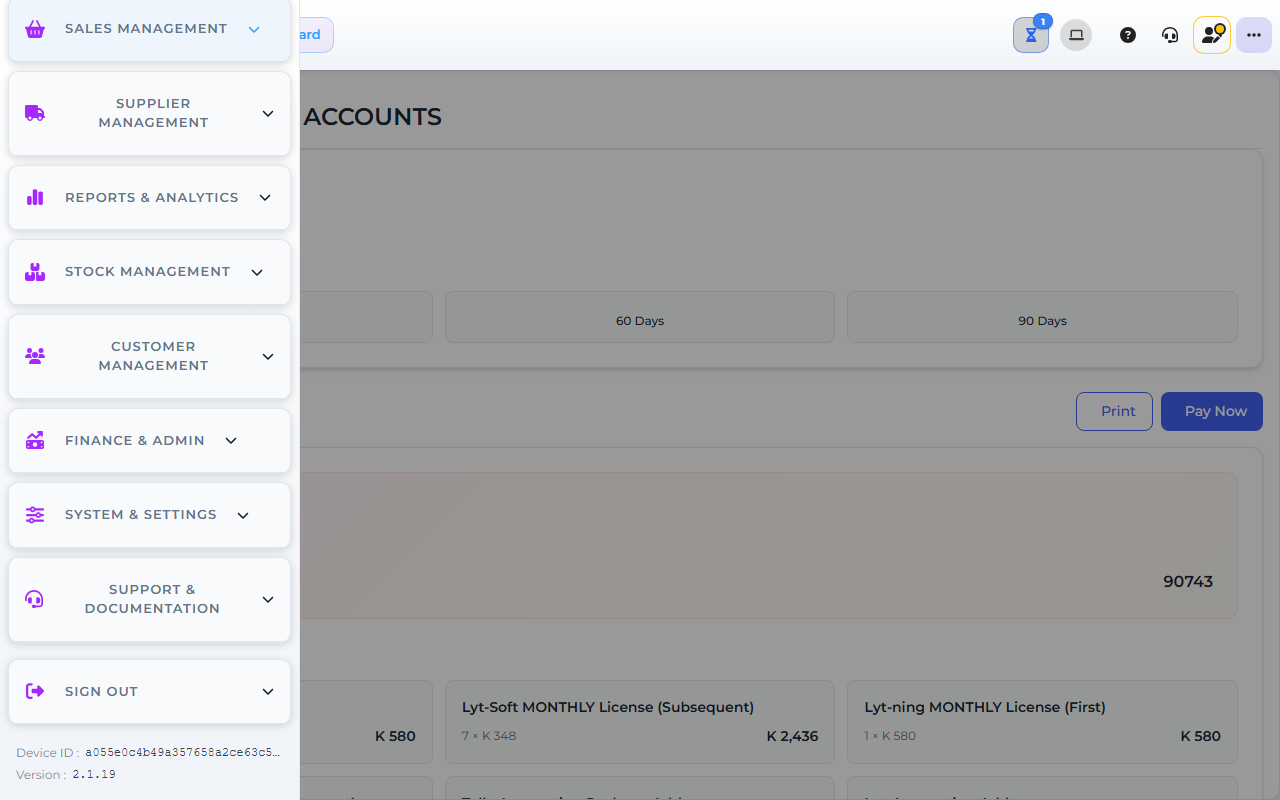
The image shows the Core App Subscription & Accounts screen. Screens may differ slightly by version.
1. Recognise the state
- The till home screen shows "logged out of franchise" or a similar message. The cashier cannot sign in.
- The back office dashboard may show the same message, or the sidebar may be empty.
- Confirm the message with your supervisor before you start the recovery — the cause can be a dropped subscription, an expired device token, or a network problem at the franchise.
2. Recover the franchise binding
- In the back office, confirm the franchise subscription is active (see System & Settings → Billing → Subscription & Accounts). A lapsed subscription blocks the binding.
- Renew the subscription if needed, then sign out and back in to force a fresh franchise check.
- If the binding still does not restore, raise a Support & Documentation → Report an Issue ticket with the franchise number, store number, the exact message on the till, and the time the binding dropped.
If the binding fails, check the subscription status first — a lapsed subscription blocks the binding. Renew the subscription before retrying.
3. Restore the devices
- Device registration is managed at the franchise level — contact your franchise admin or Support to confirm each till is still in the registered list. The live Core App does not expose a "device list" page; the franchise admin must check via Support. If a till is missing, register it again from the till's own sign-in screen.
- Have each cashier sign in once on their till to confirm the binding is live.
- If a till still shows "logged out of franchise", restart the till app and try again. Do not clear device data — offline sales may still be on the device.
4. Tell the cashier how to sign in
- Walk each cashier through the new sign-in path on their till: franchise, store, user.
- Confirm they can sign in and see the till home screen with the right Quick Link Items.
- Have them ring one quick test sale so the till is confirmed live.
- Note the recovery time and the cause (subscription lapsed, network, device token) in the day's handover.
Expected result
- The franchise binding is restored in the back office.
- Every till is registered and the cashier can sign in.
- The till home screen shows the Quick Link Items again.
- Offline sales (if any) upload once the binding is back.
- The day's trading can continue without a long pause.
Edge cases
- The binding fails again after recovery. Check the subscription status — a lapsed subscription blocks the binding. Renew first, then retry.
- A till is missing from the device list. Re-register the till from the till's own sign-in screen. Do not delete any device you cannot identify.
- Offline sales did not upload. Leave the till powered on and connected; they will upload now that the binding is back. Do not clear device data.
- The cashier cannot remember their PIN. Use the approved password reset path. Do not share another user's account.
- The same store keeps losing its binding. Raise a ticket — the cause may be a network problem at the franchise or a recurring subscription issue.